Hearing aid whistling is one of the most common problems encountered by users of these essential devices. If you’ve ever experienced a piercing or sharp whistling sound from your hearing aid, this phenomenon can interfere with conversations, cause embarrassment in social situations, and even hinder people’s full acceptance of hearing aid solutions.
In this guide, we’ll delve into the causes of hearing aid whistling, how to effectively troubleshoot it, and how advancements in modern technology have made whistling a thing of the past.
What is hearing aid feedback?
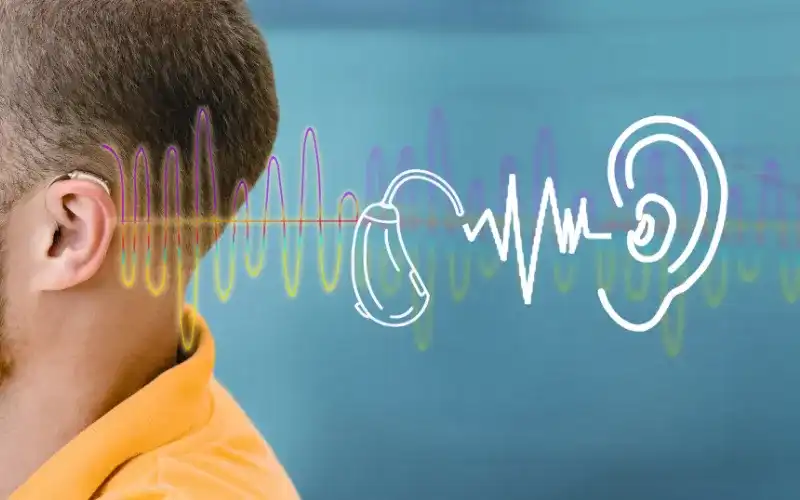
Whistling principle
This issue stems from basic acoustics: sound waves escaping the ear canal and re-entering the mic, where they’re amplified again and again. Several factors can trigger it:
- Improper Fit: If your hearing aid or custom ear mold doesn’t seal the ear canal snugly, sound escapes easily. Over time, changes in ear shape due to age or weight fluctuations can exacerbate this.
- Earwax Buildup: Cerumen (earwax) accumulation narrows the canal, forcing sound to bounce back toward the microphone.
- High Gain Settings: Devices set to maximum amplification for severe hearing loss are more prone to feedback, especially in quiet environments.
- Environmental Influences: Background noise, like wind or echoes in small rooms, can intensify the loop.
Troubleshooting Hearing Aid Feedback
Don’t let a whistling hearing aid sideline your progress. Most instances of acoustic feedback are solvable at home, but if problems persist, professional intervention is key. Here’s a practical roadmap to quiet things down, drawing from insights shared by audiologists like Dr. Sofia Estes from Estes Audiology Clinic in Texas.
1. Double-Check Your Fit and Placement
A secure fit is non-negotiable. Start by gently removing and reinserting your hearing aid, ensuring the earmold or dome sits flush against the ear canal without gaps. Tug lightly on the outer ear to confirm it’s seated properly.
If repositioning doesn’t help, consider the ear canal’s natural contours. Custom molds, tailored via ear impressions, offer the best seal for active lifestyles.
2. Tackle Earwax and Device Clogs
Earwax is a silent saboteur. It not only blocks sound transmission to the eardrum but also creates pressure points that loosen the fit, inviting feedback.
To address this:
- Use over-the-counter earwax removal kits from pharmacies like CVS or Amazon, featuring soft irrigation bulbs and softening drops. Follow instructions carefully to avoid irritation.
- Inspect your hearing aid’s microphone ports and speaker vents for wax residue. A soft brush or manufacturer-provided cleaning tool can dislodge buildup without damage.

Regular maintenance here prevents up to 70% of feedback episodes, according to hearing health studies. Remember, never use cotton swabs—they push wax deeper.
3. Rule Out Mechanical or Health Factors
When DIY fixes fall short, it’s time for expert eyes. Schedule a visit with your audiologist or hearing specialist. They can:
- Perform a comprehensive ear exam to detect blockages, infections, or foreign objects.
- Adjust programming via software updates to fine-tune gain levels and reduce feedback thresholds.
- Recommend upgrades like vented earmolds for better airflow in mild cases.
In rare scenarios, feedback signals a need for replacement parts or a full device swap, especially if your ears have reshaped over years of use.
| Common Feedback Triggers | Quick Fixes | When to Seek Pro Help |
|---|---|---|
| Loose earmold | Reinsert and adjust | If fit changes recur |
| Wax obstruction | Clean with OTC kit | Persistent blockage |
| High amplification | Lower volume temporarily | No improvement after tweaks |
| Device malfunction | Battery check/replace | Unusual noises persist |
Hearing aid feedback problems less likely with newer devices
Gone are the days when hearing aid feedback was an inevitable nuisance. Today’s digital hearing aids incorporate sophisticated algorithms that detect and suppress feedback in milliseconds, often before you even notice. Features like adaptive noise management and phase-cancellation technology analyze sound patterns in real-time, canceling out loops without compromising speech clarity.
For individuals with mild to moderate hearing loss, these innovations mean feedback is virtually eliminated when devices are fitted correctly. Brands like Phonak, Oticon, and Widex lead the charge, with studies from the American Academy of Audiology showing a 50% drop in complaints over the past decade. If your current pair dates back five years or more, exploring newer models could transform your experience.
Hearing aid static and Crackling Noises
Not all odd sounds from your hearing aid are feedback. Static, crackles, or popping—reminiscent of radio interference—often point to different culprits. Low battery life is the usual suspect, draining power unevenly and causing intermittent glitches. Moisture from humid climates or sweat can corrode internals, while dust accumulation in vents mimics electrical shorts.
Immediate Steps for Static Issues:
- Swap the battery immediately—zinc-air types last 3-7 days, depending on usage.
- Dry the device thoroughly with a silica gel dehumidifier packet overnight.
- Avoid extreme temperatures; store in a protective case away from direct sunlight.
If these don’t resolve it, professional servicing is essential. Untreated static can lead to permanent component failure, underscoring the value of annual check-ups.
Time for new hearing aids?
If feedback or other quirks keep cropping up despite best efforts, your device might be showing its age. Upgrading isn’t just about silencing whistles,it’s about rediscovering nuances in music, laughter, and whispers that older tech mutes.
Conclusion
By prioritizing proper fit, routine cleaning, and timely tech updates, you can minimize disruptions and maximize benefits.